
Post Airwallex payments into a channel
Connect Airwallex and deposits into your global accounts, payments received, transfers sent, refunds and balance updates post into a channel, plus anything that fails or is reversed. Like Stripe, it’s a URL one way and a secret the other. You need to be a Freesbe owner or admin and able to add webhooks in Airwallex.
1. Get the endpoint URL from Freesbe
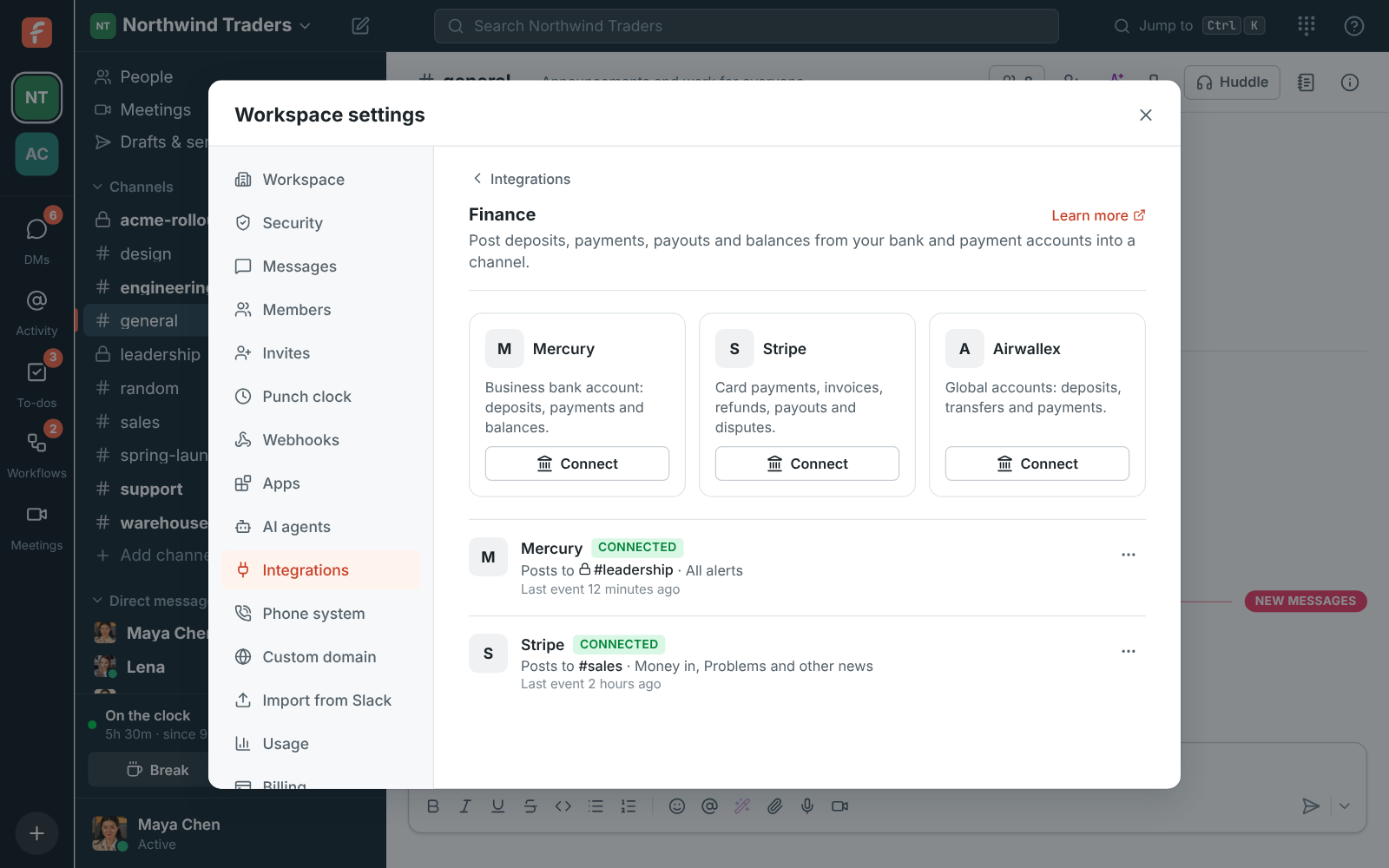
Section titled “1. Get the endpoint URL from Freesbe”- Open Workspace settings → Integrations & apps → Integrations → Finance and click Connect under Airwallex.
- Pick Post to channel, tick the Alerts to post and, if you like, a Smallest amount to post.
- Click Next and copy the Endpoint URL. It’s only shown once.
2. Add the webhook in Airwallex
Section titled “2. Add the webhook in Airwallex”- In the Airwallex web app, open Developer → Webhooks and add a webhook.
- Paste the URL as the notification URL.
- Pick the payment, deposit, transfer and refund events you want.
- Save it and copy the webhook’s secret.
3. Paste the secret into Freesbe
Section titled “3. Paste the secret into Freesbe”Paste the secret and click Save secret. The account shows Needs secret until you do; if you closed the window, click Paste signing secret on the account.
Check it works
Section titled “Check it works”Choose ⋯ → Send a test alert for a sample card in the channel. Last event under the account shows when Airwallex last sent something.
If something’s wrong
Section titled “If something’s wrong”- Airwallex shows failed deliveries. Paste the secret again with Paste signing secret, copied from the same webhook.
- You lost the URL. Delete the account in Freesbe, connect again and update the webhook in Airwallex.
- Small deposits are missing. They’re below your Smallest amount to post. Change it with ⋯ → Edit.
Stop the alerts
Section titled “Stop the alerts”⋯ → Turn off pauses them, and ⋯ → Delete disconnects Airwallex. Remove the webhook in Airwallex too.
See Payment alerts for more.
Answers come from the Freesbe guides and are written by AI, so check the linked guide before relying on one. Please don't include personal details such as emails or passwords.